
Stanislas Castella-Soeters
M1 Management de l'innovation de l'innovation : 2025 - 2026
stanislas.castella-soeters@etu.sorbonne-universite.fr
Exercice 1 - Impression test : Marque page chat, (16 décembre 2025 - 9 janvier 2026)
Cette impression est une impression test, l'objectif était de se familiariser avec l'impression 3D.
Matériel utilisé:
- Application PrusaSlicer et Printables
- Imprimante 3D Prusa MK4S
- Filament PLA noir brillant
Je souhaitais imprimer quelque chose d'utile et que je ne possédai pas. L'idée d'un marque page m'a semblé approprié pour une première impression 3D. J'ai donc cherché des modèles de marque page sur Pintables.com. Trois ont retenu mon attention, une épée, les mains d'un monstre et un chat noir. Finalement j'ai imprimé le chat noir, voici le lien et voici les images extraites du site Pintables:
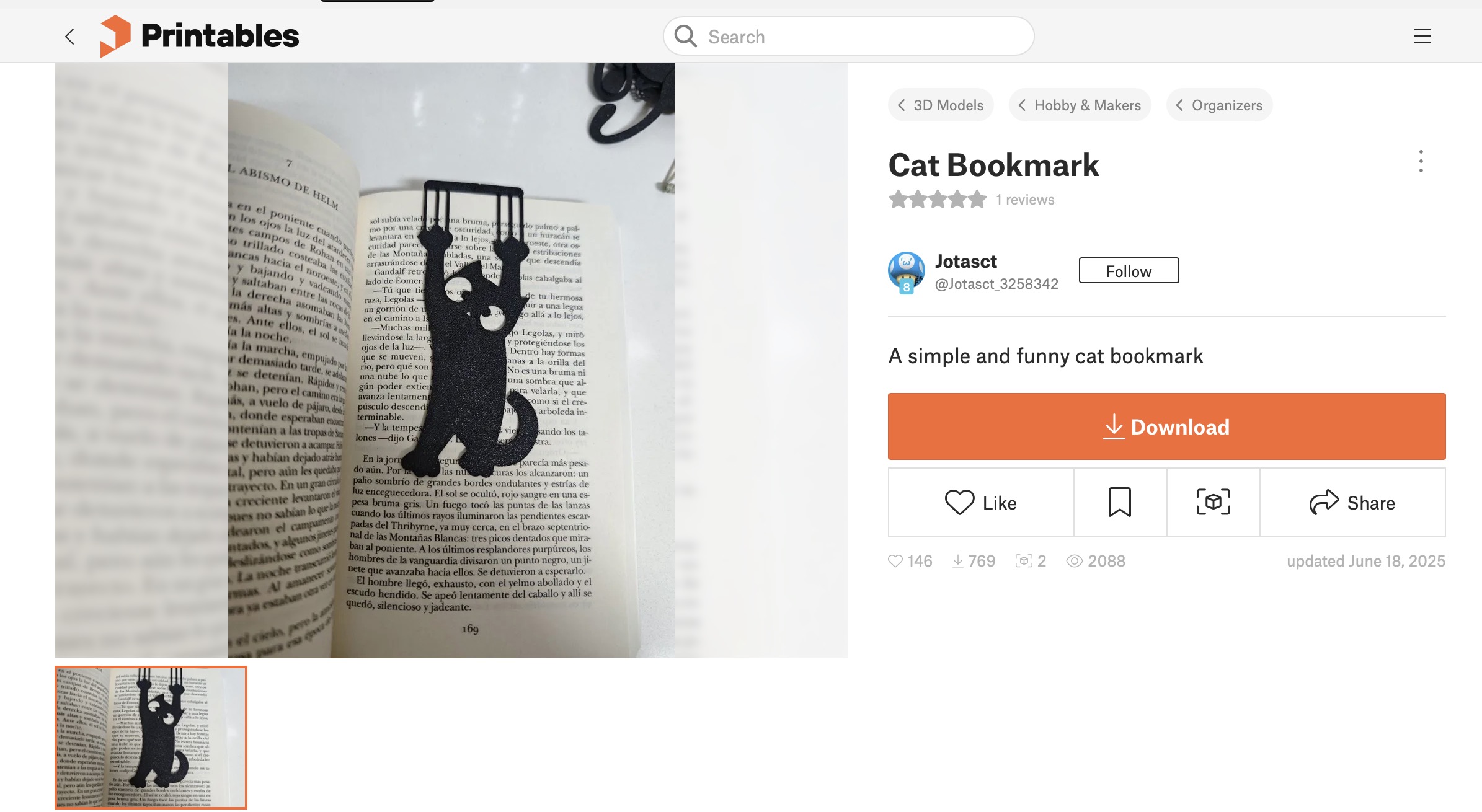
Image 1: Modèle 3D du marque page chat sur Pintables
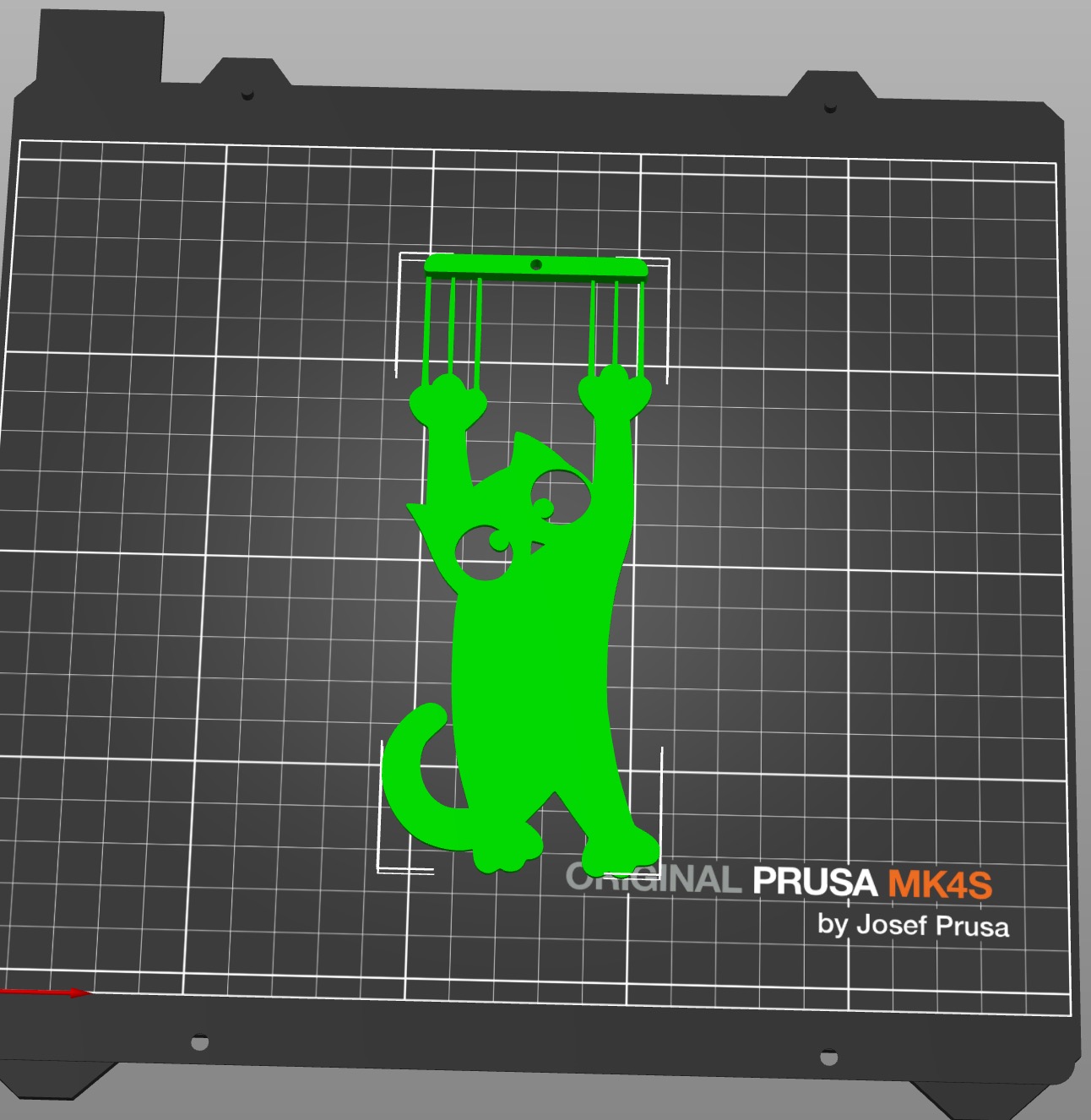
Image 2: Visualisation du modèle dans PrusaSlicer
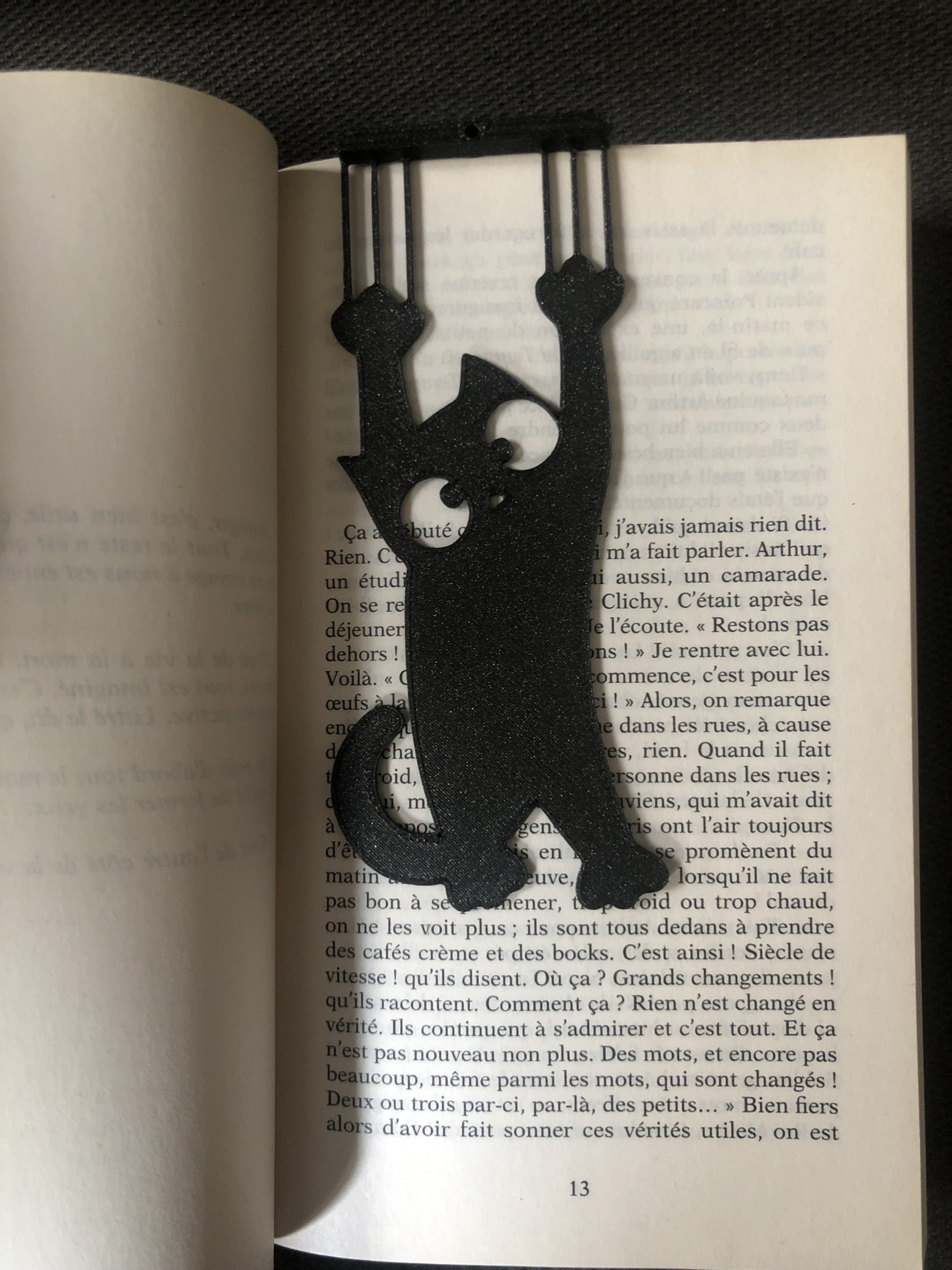 Image 3: Photographie de mon impression 3D test en action
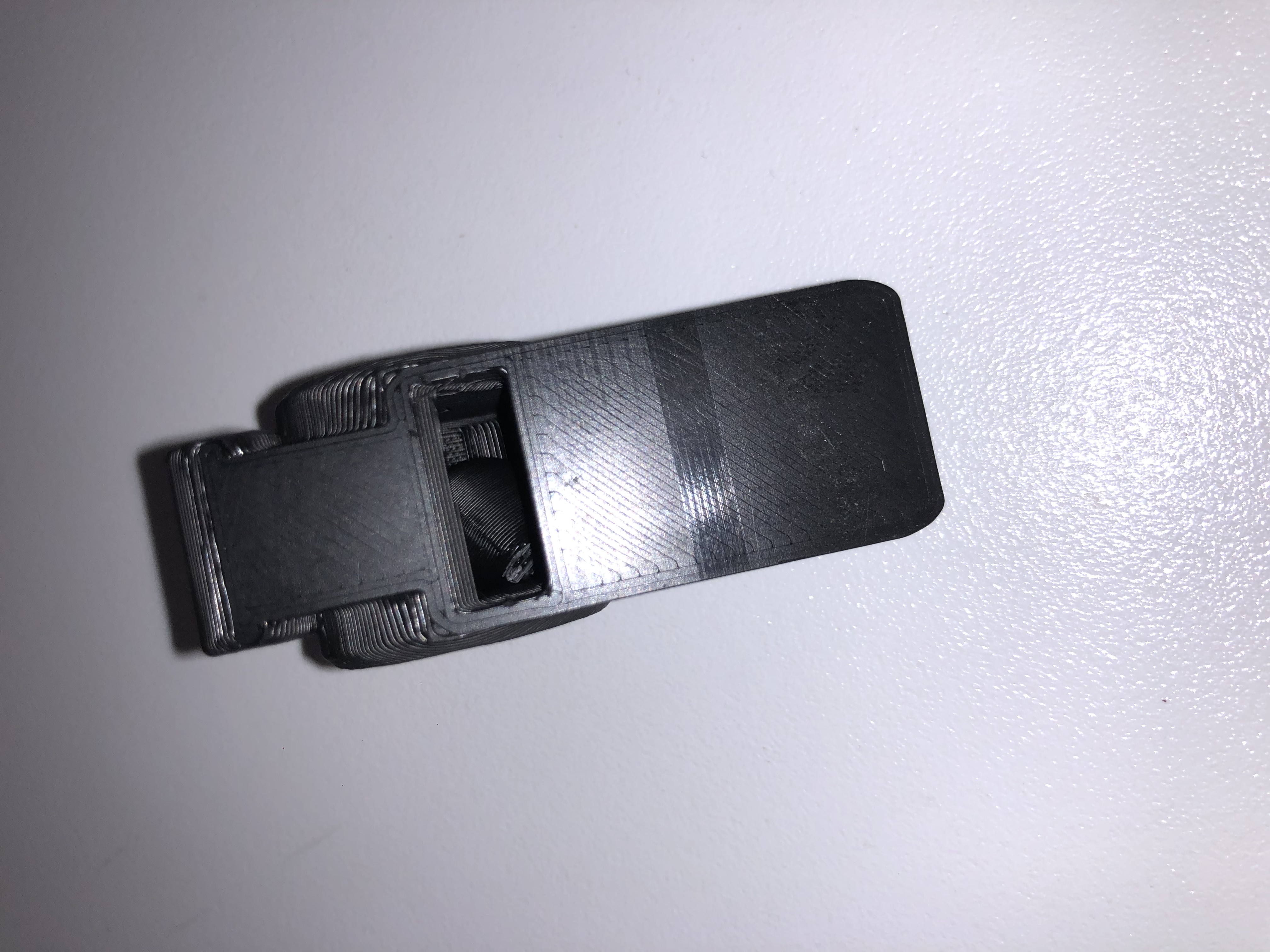
Exercice 2 - Impression d'un objet en contenant un autre : Sifflet (
Exercice 3 - Impression d'un objet modélisé sur OpenScad : Maracas avec 4 billes (6 Février 2026)
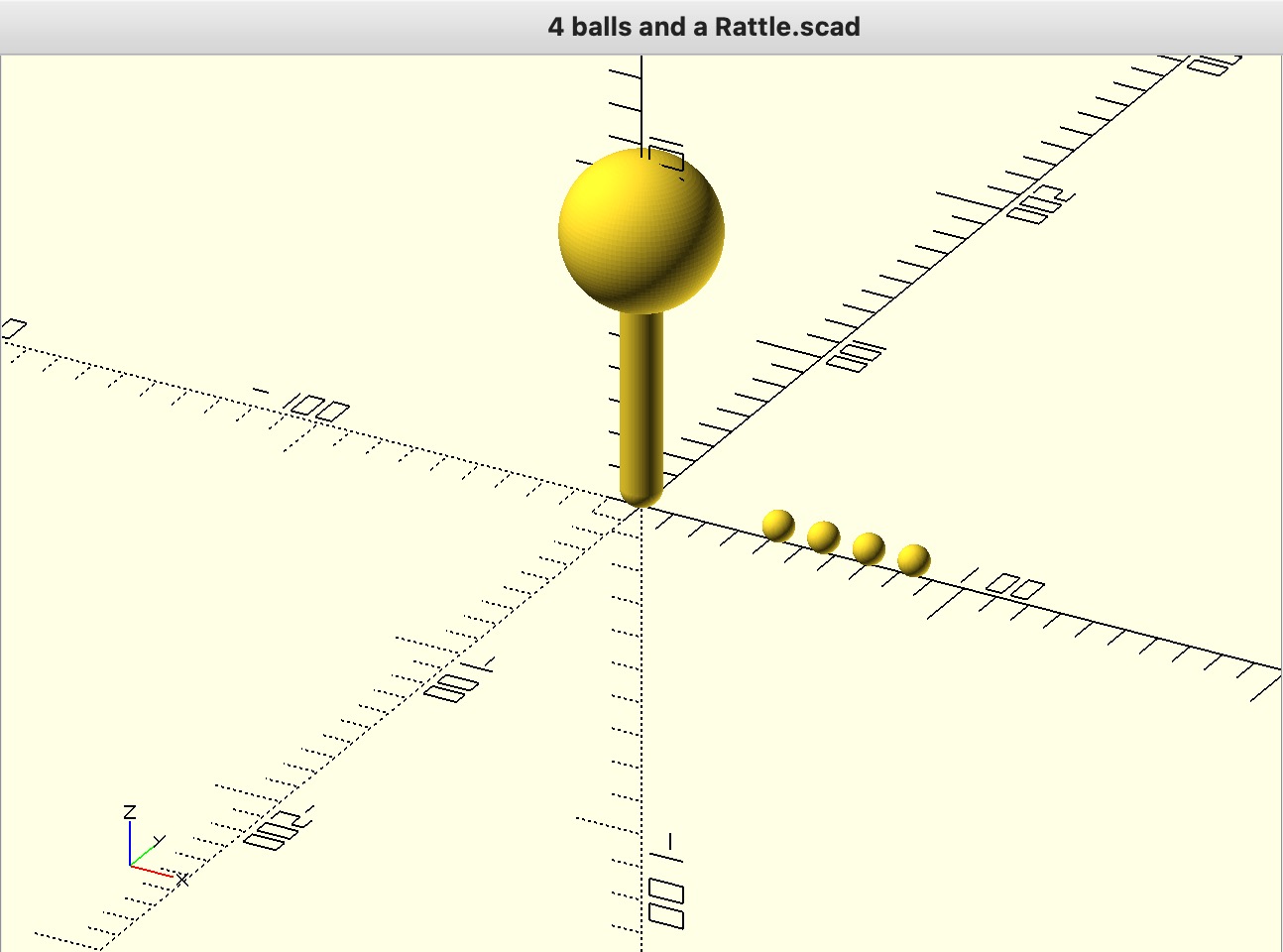
/* [General Settings] */
// Select what to render
mode = "view_all"; // [view_all, print_half_1, print_half_2, print_tiny_spheres]

/* [Dimensions] */
/* [Détails de la maracas] */
// Longueur total de la maracas (mm)
rattle_length = 100; // [80:150]
// Diamètre de la sphère de la maracas (mm)
head_diameter = 45; // [30:80]
// Diamètre de la poignée (mm)
handle_diameter = 12; // [8:25]
// Épaisseur des parois du maracas (mm).
wall_thickness = 2.4;

/* [Détails des quatres billes] */
// Number of tiny spheres
sphere_count = 4;
// Wall thickness for the tiny spheres
sphere_wall = 0.8;
// Distance to move spheres away from the rattle body
sphere_distance_from_body = 20;

/* [Detail] */
// Smoothness of the curves
$fn = 100;

// --- Calculated Values ---
tiny_sphere_size = head_diameter / 5;

// --- Geometry Modules ---

module rattle_body() {
    // We group the geometry and move it UP so the bottom touches Z=0
    translate([0, 0, handle_diameter/2])
    union() {
        // 1. The Hollow Head
        translate([0, 0, rattle_length - (head_diameter/2)])
        difference() {
            sphere(d = head_diameter);
            sphere(d = head_diameter - (wall_thickness * 2));
        }

        // 2. The Handle
        cylinder_height = rattle_length - (head_diameter/2) + 2;

        translate([0,0,0])
        union() {
            cylinder(h = cylinder_height, d = handle_diameter);
            // The bottom cap
            sphere(d = handle_diameter);
        }
    }
}

module tiny_spheres_set() {
    // Generate the row of spheres
    for (i = [0 : sphere_count-1]) {
        // X spacing: diameter + 5mm gap
        x_pos = i * (tiny_sphere_size + 5);

        // Z position: Lift up by radius so the bottom touches 0
        z_pos = tiny_sphere_size / 2;

        translate([x_pos, 0, z_pos])
        difference() {
            sphere(d = tiny_sphere_size);
            sphere(d = tiny_sphere_size - (sphere_wall * 2));
        }
    }
}

// --- Rendering Logic ---

if (mode == "view_all") {
    // 1. Render the Rattle (Base is at Z=0 inside the module)
    rattle_body();

    // 2. Render the Tiny Spheres
    // We move them to the right of the rattle head
    translate([head_diameter/2 + sphere_distance_from_body, 0, 0])
    tiny_spheres_set();
}

else if (mode == "print_half_1") {
    // Lay rattle flat for printing (Left Half)
    rotate([0, 90, 0])
    difference() {
        // We must undo the "standing" translation to rotate it correctly around center
        translate([0,0,-handle_diameter/2]) rattle_body();
        translate([-500, -1000, -500]) cube([1000, 2000, 1000]);
    }
}

else if (mode == "print_half_2") {
    // Lay rattle flat for printing (Right Half)
    rotate([0, -90, 0])
    difference() {
        translate([0,0,-handle_diameter/2]) rattle_body();
        translate([-500, -1000, -500]) cube([1000, 2000, 1000]);
    }
}

else if (mode == "print_tiny_spheres") {
    // Render the spheres sitting on the bed
    tiny_spheres_set();
}
No Comments